+1 740 762 6496
 +91 70189 46603

TABLE OF CONTENT
- What Counts as a Legacy Application?
- Which Old Systems Usually End Up Here
- Why Legacy Application Modernization Matters Now
- Clear Signs You Need to Modernize Legacy Applications
- The 7 Main Approaches to Legacy Application Modernization
- How to Pick the Right Modernization Approach
- The Legacy Application Modernization Process, Step by Step
- How Much Does Legacy Application Modernization Cost?
- Common Legacy Application Modernization Mistakes to Avoid
- A Real Legacy Modernization Story
- FAQs
Overview
- Legacy application modernization means updating old software without binning the parts that still earn.
- Legacy is about risk, not age. Scary to change beats simply old.
- Spend where the pain and the money sit, and nowhere else.
- Learn the seven Rs: retain, retire, rehost, replatform, refactor, rebuild, replace.
- Bury the big bang rewrite. Ship in small, safe slices.
- The data and the testing are the hard part. The shiny new code is the easy bit.
- Doing nothing is not free. That bill grows every month you stall.
AI Summary:
Legacy application modernization means updating old software so it runs on current tech, stays secure, and connects to modern tools, while keeping the parts that still earn money. Legacy is about risk, not age. Teams pick from the seven Rs (retain, retire, rehost, replatform, refactor, rebuild, replace) and modernize in small, safe slices rather than one big risky rewrite. Costs range from around $8,000 for an assessment to $250,000 or more for a full system rebuild. Doing nothing carries a rising cost too.
Old software rarely dies with a bang. It just gets slower, crankier, and pricier, until one quiet Tuesday it falls over and takes your whole morning with it.
Legacy application modernization is the work of dragging old software into the present. You rebuild, rewrite, or move the parts that hold you back, and you keep the parts that still earn their keep. Done right, it trims your costs, patches the security holes, and lets your team ship features without holding their breath.
Now the part most guides are too polite to say out loud. Old is not the problem. Fragile is. A clunky system from 2009 that runs all day without a peep can stay right where it is. The shiny app you launched two years ago, the one your engineers treat like a sleeping dog, that is the thing quietly bleeding you dry.
What Counts as a Legacy Application?
Forget the calendar. A legacy application is any piece of software that has turned scary to touch. Age has nothing to do with it.
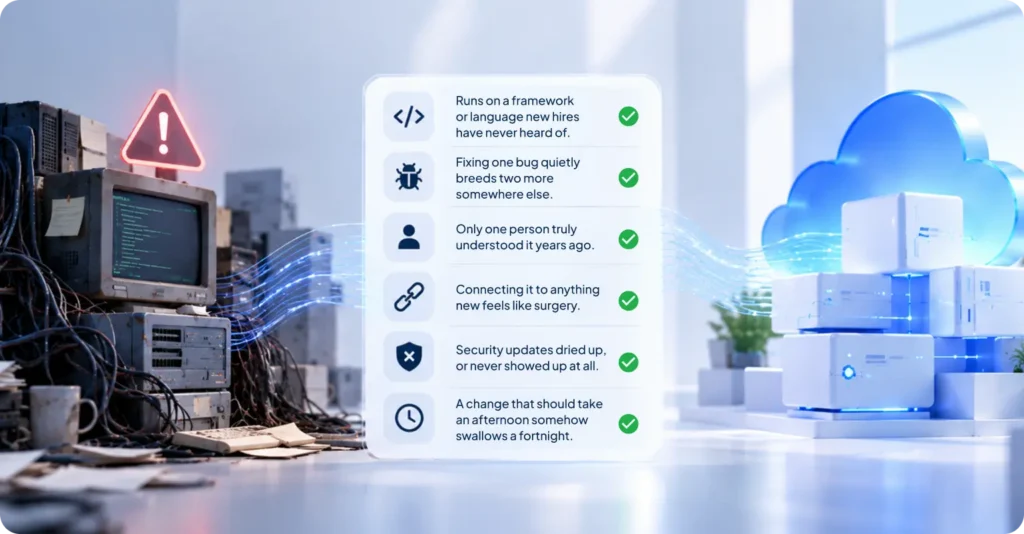
You probably own one if you find yourself nodding at a few of these:
- It runs on a framework or language your new hires have never heard of.
- Fixing one bug quietly breeds two more somewhere else.
- The only person who truly understood it took a job in another city years ago.
- Connecting it to anything new feels like surgery.
- The security updates dried up, or never showed up at all.
- A change that should take an afternoon somehow swallows a fortnight.
Two or three of those hitting home? That is a legacy app. It does not matter that the code is young. What matters is that nobody wants to open it.
Which Old Systems Usually End Up Here
Modernization is not one tidy job. What it takes depends entirely on the mess you inherited. A handful of culprits show up over and over.
- Old .NET and Java monoliths. Enormous, knotted, business-critical, and scary to breathe on. Almost always a refactor, done one nervous slice at a time.
- PHP sites held together by years of quick fixes. A decade of patches on an ancient framework, or no framework worth the name. Marketplaces and portals live here.
- Mainframe and COBOL systems. Banks and insurers still run them. They work fine. They also cost a bomb, and the few who still understand them are retiring fast.
- Aging mobile apps. Built on tools the app stores quietly stopped loving. They stutter on new phones and miss every modern trick.
- Desktop apps that never made it online. Stuck on one laptop in one office, useless the moment you leave the room.
- Legacy ERPs and billing tools. The dull back office machinery that moves the money. Nobody volunteers to be the person who breaks it.
Each one hides its own landmines. The plan rarely changes though. Find the risk, protect the money, and move in small steps.
Why Legacy Application Modernization Matters Now
That aging system is not just sitting there being quaint. It is running up a tab. Every month, without fail.
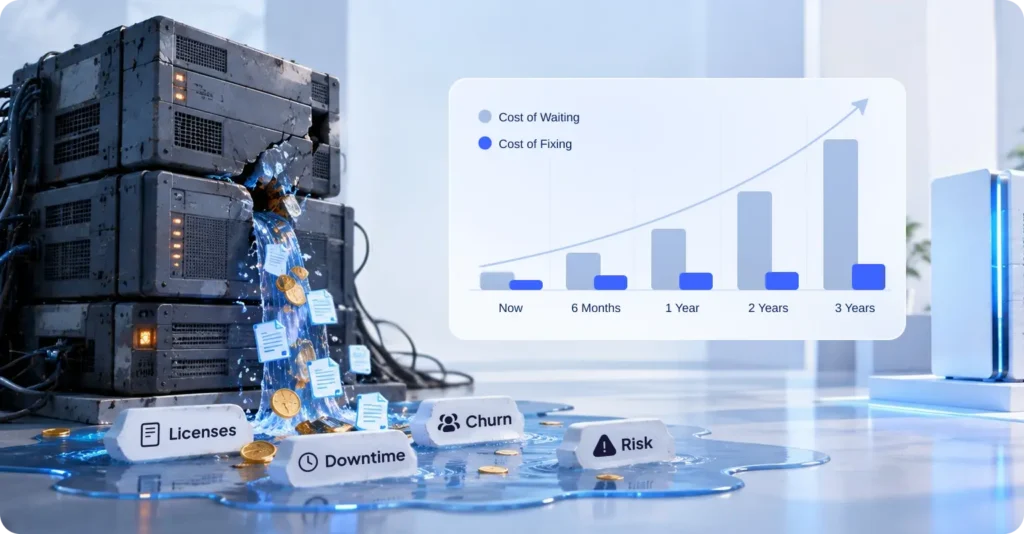
Follow the money and it gets grim fast. Licenses for dead tech keep creeping up. The one contractor who still speaks its language names his price, because who else are you going to call? Downtime turns up uninvited, usually on your biggest sales day. And your best engineers start answering recruiter messages, because nobody signed up to nurse code written in 2011. All that quiet waste has a name, by the way. People call it technical debt.
Then there is the security side, which is the bit that should actually scare you. Software that stopped getting patches is a door left wide open with the key still in it. One breach can cost more than the entire rebuild would have.
And now AI has moved the goalposts for everyone. A model is only as sharp as the data you can hand it. If your data is locked inside some brittle old box, it might as well be written on a napkin and lost. For the full picture of what shifted, read how AI changed legacy application modernization, and the bits that did not budge an inch.
So the real question was never whether to modernize. It is what you fix first, and what you leave well enough alone.
Clear Signs You Need to Modernize Legacy Applications
Some systems can coast for another year. Others are a slow leak you keep pretending not to see. Here is how to tell which is which.
Move soon if any of this sounds familiar:
- The app buckles the second traffic spikes.
- Hosting and license bills climb every year and hand you nothing in return.
- You are flunking audits, or you cannot meet rules like HIPAA or PCI.
- Shipping a small feature has turned into a month long slog.
- The company behind your core tech shut up shop.
- Your mobile users get a slow, clumsy experience, and deep down you know it.
You can probably leave it alone if:
- It is steady, cheap to run, and almost never changes.
- It does one narrow thing and does it well.
- No regulator and no customer is leaning on you.
Not every old thing deserves rescuing. Put the money where it actually stings.
The 7 Main Approaches to Legacy Application Modernization
There is no single right way to do this. There are seven, and the teams who get it right happily mix them. Everyone calls them the seven Rs. They grew out of AWS’s six strategies for migration, with one more tacked on since.
| Approach | What it means in plain words | Best when |
|---|---|---|
| Retain | Leave it alone for now. Keep it as is. | It still works, costs little, and rarely changes. |
| Retire | Switch it off and walk away. | Nobody really uses it anymore. |
| Rehost | Move it to the cloud as is. Also called lift and shift. | You need quick wins and lower hosting cost. |
| Replatform | Move it and tune it a little on the way. | You want some cloud gains without a full rebuild. |
| Refactor | Rewrite parts of the code, piece by piece. | The app matters but the code is a mess inside. |
| Rebuild | Build it again from scratch. Same goal, new code. | The old base is beyond saving. |
| Replace | Drop it and buy a ready made tool instead. | An off the shelf product already does the job. |
Most real projects are a stew of these. Rehost one piece, refactor another, and quietly retire a third that nobody had opened in years.
For the awkward middle child, refactoring, the calmest route is the strangler fig pattern. Strange name, clever trick. You wrap the old system, grow the new parts around it, and send traffic across a little at a time until the old code just quietly gives up. No nerve shredding launch night. No crossing your fingers.
How to Pick the Right Modernization Approach
Decide on money and risk. Not on whatever the internet is loudly obsessed with this month.
Two honest questions for each system:
How much does it make or save you?
How much does it hurt to change?
Earns well, easy to change? Refactor or replatform. Keep the golden goose fed, just build it a better pen. Earns well, scary to change? Ease off the gas. Use the strangler fig method and modernize in thin slices. Microsoft’s guide to the strangler fig pattern lays out how to move traffic one careful step at a time. Earns little, any risk at all? Retire it, or swap it for a cheap ready made tool. Do not throw real money at something nobody would miss.
Those tired old back office systems are the usual trap. Half the world limps along on ancient tools for billing, stock, and payroll. If that is you, a modern set of custom CRM and ERP systems can swallow a whole graveyard of creaky apps and hand you one clean platform instead.
One line the team at Auspicious Soft simply will not cross. Skip the big bang rewrite. Rebuilding the lot in secret and flipping a switch on launch day is how software goes to die. It runs late. It costs double. And it ships riddled with fresh bugs while the old system rots away in the next room.
The Legacy Application Modernization Process, Step by Step
Going in without a plan is how a budget quietly detonates. Here is an order that holds up in the real world.
- Take stock. Every app, what it runs on, what it costs, who leans on it. Write it all down.
- Rank by pain and payoff. The costly, risky, money making stuff rises to the top.
- Pick a path for each one, straight from the seven Rs above.
- Work in slices. Small, safe pieces. Never flip the whole thing in one heroic go.
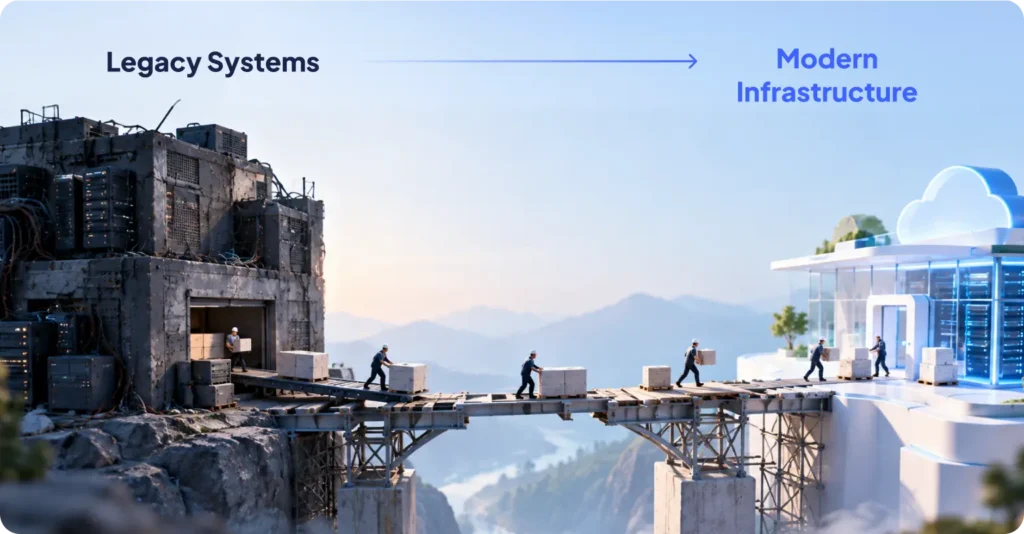
- Wire it together. Clean APIs let the old and new halves talk while you cross over. Solid API development is what stops the whole bridge collapsing halfway.
- Move the data gently. Clean it, map it, test it, then move it. Sloppy data has buried more projects than bad code ever has.
- Test without mercy. Automated tests catch the breaks before your customers get the chance.
- Watch it after launch. Speed, errors, cost. Keep an eye on all three and keep tuning.
Notice the rhythm. Small moves. Relentless testing. No heroics.
How Much Does Legacy Application Modernization Cost?
Right, the question everyone really clicked for. It swings with scope, but here are honest bands to anchor on.
- A small job, a cloud move or a light replatform: roughly $8,000 to $15,000.
- A mid size refactor of one core system: roughly $30,000 to $80,000.
- A full rebuild of a large platform with integrations: $80,000 to $25,000+.
What shoves the number around? How big the codebase is. How tangled. How much data has to shift. How many other tools it has to shake hands with. And how good the old documentation is, which, nine times out of ten, is a blank page with a coffee ring on it.
Here is what people forget to write on the other side of the ledger. Doing nothing has a price too. Creeping licenses, security risk, lost sales, good engineers walking out the door. A lot of teams run the numbers and find that waiting is the expensive choice.
Common Legacy Application Modernization Mistakes to Avoid
Most of these projects do not die from bad code. They die from bad calls made in week one. Keep an eye out for these.
- The big bang rewrite. Flip everything at once and you may as well book the wake. Slices. Always slices.
- Chasing shiny things. New tech is a buzz. But if the old thing works and pays its way, put the toy down.
- Treating data like an afterthought. Teams fuss endlessly over code and forget the swamp of data beneath it. The data is almost always the real beast.
- No business case. If you cannot say in one sentence how this makes or saves money, you are not ready to spend a dollar.
- Letting the one expert stroll out. The person who gets the old monster is worth their weight in gold. Get what is in their head onto paper before they hand in their notice.
- Skipping tests. No safety net means every change is a coin toss. Automate early, not when it is already on fire.
- Forgetting the humans using it. A faster engine is useless if the screen your customers stare at still feels like 2012.
Dodge this lot and you have sidestepped most of the ways it all goes sideways.
A Real Legacy Modernization Story
Theory is cheap. A real before and after is what makes a reader actually believe you.
Two quick ones off the Auspicious Soft shelf. The Distacart case study follows a cross border store trying to push 500,000 products to more than 40 countries on a setup that simply could not keep up. A rebuilt, faster app sorted the load times and lifted the whole experience. The Werover case study tracks an IoT platform watching wind turbines in real time, which needed a modern app and admin panel that would not keel over under a flood of live data.
Different systems, same lesson every single time. Modernize the parts dragging you down, keep whatever quietly works, and move in steps.
FAQs
Q: What is legacy application modernization in simple words?
It is updating old software so it runs on current tech, stays safe, and talks to the tools you use now. You keep what works and fix what does not.
Q: Is modernization the same as migration?
Not quite. Migration just moves software somewhere new, like onto the cloud. Modernization can mean moving it, rewriting it, or replacing it, so the thing genuinely gets better rather than just changing its address.
Q: How long does legacy application modernization take?
A small cloud move might take a few weeks. A full rebuild of a big platform can run several months. Scope and data size set the clock.
Q: Should I rebuild my legacy app or refactor it?
Refactor when the app matters and the code can still be saved. Rebuild when the base is too far gone to trust. Stuck? Start with one small slice and let it teach you.
Q: Will modernization break my current system?
Not if you go in slices and test as you move. Methods like the strangler fig let old and new run side by side, so there is no white knuckle overnight switch.
Q: How do I start modernizing a legacy application?
Begin with an audit of what you own and what it is costing you. Then rank by pain and value. Want a second opinion from people who do this every day? A trusted legacy application modernization company can map out a safe plan with you.
Q: Is it cheaper to modernize or build new from scratch?
Depends on the shape your code is in. Refactoring is often cheaper and quicker than a full rebuild. But a very old, very tangled system can cost more to keep patching than to simply replace. An audit gives you the real answer.
Do not Miss Our Latest Tech Insights
Stay one step ahead in the fast-moving world of AI and technology. Add us as a Preferred Source on Google and get our latest articles, guides, and industry insights delivered straight to your search feed.