+1 740 762 6496
 +91 70189 46603


TABLE OF CONTENT
- How Much Long Does It Take to Develop a Mobile Application?
- Let’s Take A Look At Some Of The Most Important Factors That Will Determine How Long It Takes To Develop A Mobile App:
- Detailed Process Of The Time Taken To Develop An App
- Development Of A Mobile App Generally Follows A Few Phases:
- Final Words
- FAQs
Overview
- Basic mobile apps take 4-6 weeks to develop; complex apps can take 3-4 months.
- Development phases: requirement gathering, design, coding, testing, and app store submission, each taking roughly 2-4 weeks.
- Broader phases include discovery/planning, design (2 weeks-2 months), development (3-6 months), and ongoing launch/maintenance.
- Timeline depends on app scope, functionality, design complexity, and chosen development platform.
- Post-launch maintenance is essential for updates, bug fixes, and long-term app success.
AI Summary:
Mobile app development timelines vary based on complexity: a basic app typically takes 4-6 weeks, while a more advanced app can take 3-4 months. Key phases include requirement gathering (2-4 weeks), design (2-3 weeks), coding (2-4 weeks), testing (2-3 weeks), and app store submission (1-2 weeks). Factors influencing timeline include app scope, design complexity, chosen development platform, and testing depth. Post-launch maintenance continues indefinitely to support updates and bug fixes.
Developing an app is an intensive process that requires thorough planning and execution. So, how long does it take to develop a mobile app? The answer depends on the complexity of your app and the resources. Generally, the development time for a mobile app can range from 4-6 weeks for a basic app to 3-4 months for a more sophisticated and comprehensive app.
When it comes to developing a fun or useful mobile app, the first step is to determine the requirements needed to build the app. This includes determining the purpose, target audience, features, and overall user experience. Additionally, technical requirements need to be taken into consideration, such as the operating system and compatible devices. The second step is designing an effective user interface and selecting an appropriate programming language. Generally, the third step involves coding the app, followed by beta testing. The final step is submitting the app to the app store and marketing it.
Developing a mobile app isn’t like baking a cake. You can’t just measure out the ingredients, mix them together, and have a final product in 30 minutes. There are plenty of factors that go into the development process, and each of them can impact the amount of time it takes.
The average mobile app takes 4.5-7 months to develop from concept to App Store launch. 60% of apps go over their original timeline estimate. Cross-platform development with Flutter or React Native is 30-40% faster than separate native iOS + Android development.

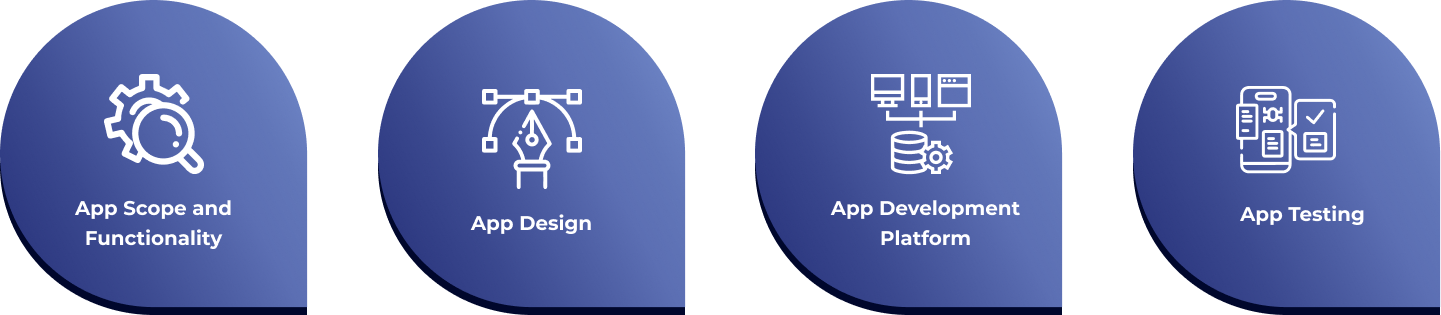
Let’s take a look at some of the most important factors that will determine how long it takes to develop a mobile app:
1. App Scope and Functionality:
The complexity and scope of your app will affect the amount of time or resources it takes to develop. If you’re developing a simple, single-function mobile app, you could develop it fairly quickly. However, if you’re developing an app with multiple features and functions, it could take much longer.
2. App Design:
Once you settle on the scope and functionality of your app, you’ll also need to design it. This includes creating user interface (UI) and user experience (UX) elements, as well as graphic design work. The more complex the design, the longer it will take.

How Much Long Does It Take to Develop a Mobile Application?
Not sure how long your app will take? Get a realistic timeline — no guesswork, no delays.3. App Development Platform:
There are several development platforms available for mobile app development. Each platform has its own strengths and weaknesses, and the time it takes to develop an app on each platform can vary. For example, some platforms are faster or easier to use than others, while some have more capabilities than others.
4. App Testing:
Finally, you need to make sure that your app is functioning properly and is free of bugs. This will involve testing the app on various devices and operating systems, as well as making sure that it’s secure. Testing can take a while, particularly if you’re doing thorough, extensive testing.
As you can see, there are several factors that go into how long it takes to develop a mobile app. Depending on the complexity of your app and the development platform you use, the process can take anywhere from a few weeks to even months. In general, it’s best to plan for a longer timeline and be pleasantly surprised if it ends up taking less time than expected.
Detailed Process Of The Time Taken To Develop An App
Let’s look at some of these steps in detail to better understand how long it takes to develop a mobile app.
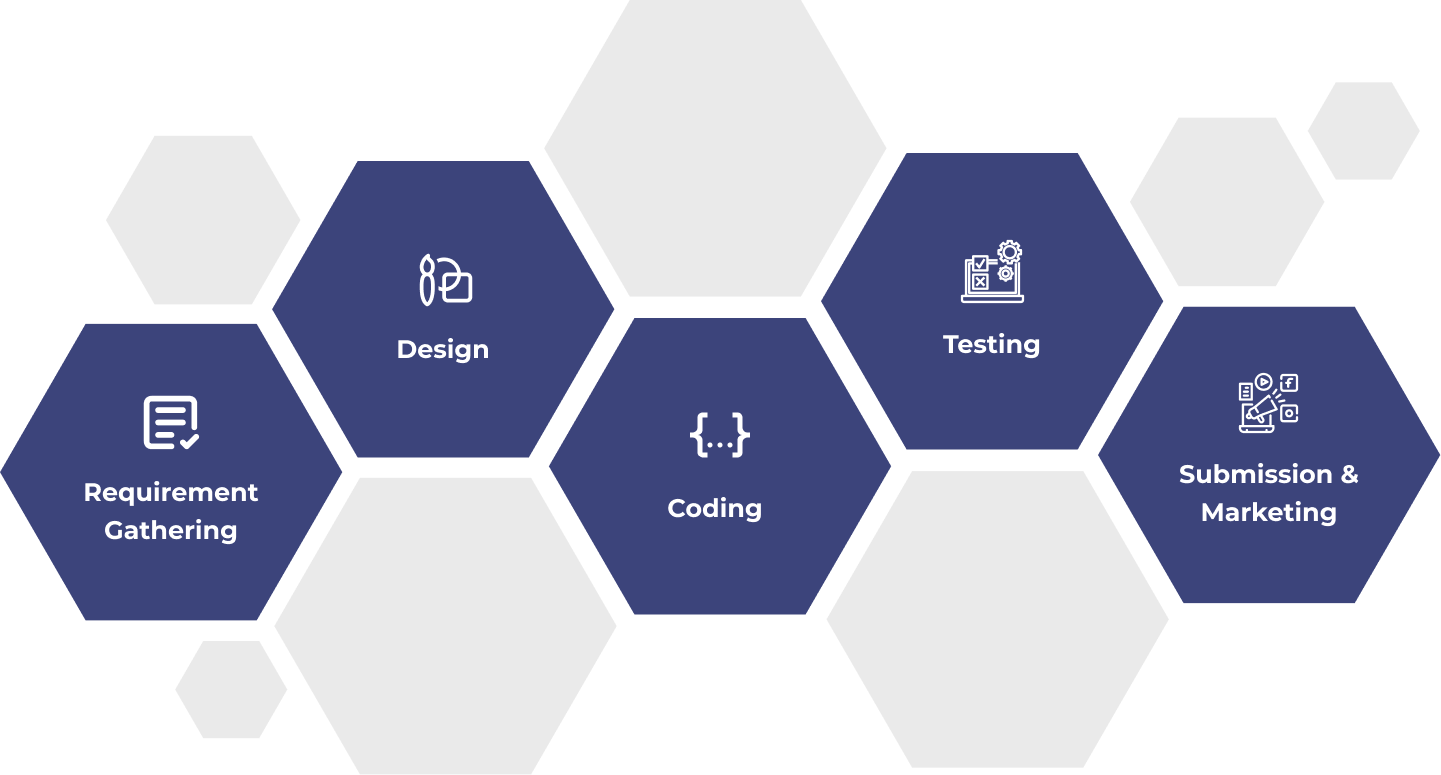
Requirement Gathering
The first step in developing a mobile app is to determine user requirements and technical specifications. This usually takes about 2-4 weeks. During this time, the app development team will analyze user feedback, create user stories, develop prototypes and identify use cases. This step is crucial as it helps set the foundation for the rest of the development process.
Design
Once the requirements are established, the design phase can begin. This involves creating a user interface, logos, forms, and other graphical elements. This step usually takes 2-3 weeks. However, it may take more time if the app has complex features.
| Development Phase | Simple App | Medium App | Complex App | What Happens |
|---|---|---|---|---|
| Discovery & Planning | 1-2 weeks | 2-3 weeks | 3-5 weeks | Requirements, tech spec, project plan |
| UI/UX Design | 2-3 weeks | 3-5 weeks | 5-8 weeks | Wireframes, visual design, prototyping |
| Frontend Development | 3-5 weeks | 6-10 weeks | 10-18 weeks | App screens, UI interactions, animations |
| Backend Development | 2-4 weeks | 4-8 weeks | 8-16 weeks | APIs, database, business logic, admin panel |
| Third-party Integration | 1-2 weeks | 2-4 weeks | 4-8 weeks | Payments, maps, auth, analytics, APIs |
| QA & Testing | 1-2 weeks | 2-3 weeks | 3-5 weeks | Bug fixing, performance testing, device testing |
| App Store Submission | 1-2 weeks | 1-2 weeks | 2-3 weeks | Review preparation, submission, approval |
| TOTAL | 3-5 months | 5-8 months | 8-15 months | Concept to live App Store launch |
Coding
Once the design phase is complete, the app can finally be coded. This step is usually the most time-consuming as it involves writing thousands of lines of code and integrating different components of the app. Depending on the complexity of the app, this step could take anywhere from 2-4 weeks.
Testing
Once the coding is complete, the app needs to be tested for any bugs or errors. This process usually takes 2-3 weeks as it is an intensive process that involves strategizing and planning.
Submission and Marketing
The last step is submitting the app to the App store. This could take up to 1-2 weeks. The development team will also have to create a launch strategy and market the app to ensure that it is successful.
On average, it takes anywhere from 4-6 weeks to develop a basic mobile app. For a more complex app, the development time could take 3-4 months. While the above steps are generally required for developing a mobile app, the development time may differ depending on the complexity of the app.
Development Of A Mobile App Generally Follows a Few Phases:
The amount of time taken to develop a mobile app can range anywhere from a few days to several months. To understand this timeline better, let’s take a closer look at the mobile application development process.
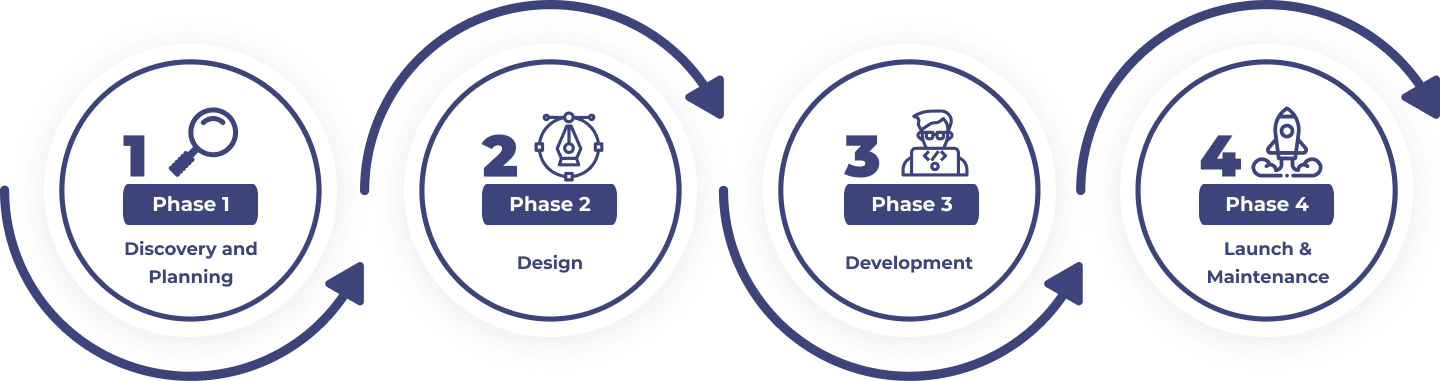
Discovery and Planning
This is the preparatory step of the mobile app development process. During the discovery phase, a product manager and the development team work together to define the product goal and devise a plan for execution. This part of the process involves feature research and market analysis, user experience mapping, high-level estimation of time, cost, labor, and technology stack, as well as specifying any external dependencies. Depending on the product’s complexity, the planning and discovery phase can take from days to weeks.
Design
Crafting an aesthetically pleasing mobile application is no easy task. After product managers and developers decide what to build, app designers and UI/UX specialists get to work conceptualizing the visual and interactive construct of the product. Designers create wireframes, color and typography palettes, and a number of assets required for the development stage. The length of this process is determined by the project’s complexity and design goals. Generally, it can take anywhere between two weeks and two months.
Development
This is the final and longest phase in mobile app development. During this stage, developers begin coding the product using the design components developed in the 2nd phase. This process may include front-end development, back-end development, middleware integration, and testing. App development timelines vary depending on the technology stack, project complexity, and required features. But on average, mobile app development can take from 3 to 6 months.
Launch and Maintenance
Once the main development is finished, the app goes into the final stages of quality assurance and testing. This testing process is crucial to ensure that the mobile application works properly, performs well, and follows the UX guidelines. After the app goes through extensive tests and gets approved, it can be released for public use. However, for sustainable success, developers need to continuously maintain, update, and improve the app (update content, fix bugs, and add new features). This post-launch maintenance can range from a few months to multiple years.
Final Words
In conclusion, the time it takes to develop a mobile app depends on the complexity and scale of the project, as well as the resources available. But, in general, a basic app can be developed in 4-6 weeks while a more advanced app can take 3-4 months.
It is essential for those creating a mobile app to understand the time it takes to develop an app. With the stages mentioned, it can take anywhere from several weeks to months just to create a basic app. However, with complex features, the development process can take even longer. It is also important to consider post-launch support, such as analytics, bug fixes, and updates.
Ultimately, the development time largely depends on the complexity of the app and its features. As such, it is essential to consider the scope of the project, the timeline, and resources to ensure the success of the mobile app.
How Much Long Does It Take to Develop a Mobile Application?
Not sure how long your app will take? Get a realistic timeline — no guesswork, no delays.FAQs
Q: How long does it take to build a mobile app in 2026?
A: Mobile app development typically takes: Simple app (informational, basic features): 2-4 months. Standard app (user authentication, payments, social features): 4-7 months. Feature-rich app (real-time, AI, complex UX): 7-12 months. Enterprise platform (compliance, multi-role, complex integrations): 12-24 months. The single biggest factor is feature count — each major feature adds 2-6 weeks of design, development, and testing. Using cross-platform frameworks (Flutter or React Native) reduces timeline by 30-40% compared to building separate native iOS and Android apps.
Q: What takes the most time in mobile app development?
A: The three most time-intensive elements of mobile app development are:
- Backend Development — building the server-side APIs, database, business logic, and admin panel typically takes 40-50% of total development time for data-intensive apps.
- Third-Party Integrations — connecting payment gateways, mapping APIs, authentication providers, and CRM systems each take 1-3 weeks of integration and testing.
- QA and Bug Fixing — professional QA testing consistently reveals 50-100 bugs in any app of medium complexity, requiring 2-4 weeks to fix and retest.
Q: How can I speed up mobile app development without compromising quality?
A: The five most effective ways to reduce development time without sacrificing quality:
- Use cross-platform development (React Native/Flutter) — saves 30-40% vs native.
- Start with a well-defined MVP — fewer features means faster delivery.
- Use pre-built components (Expo, pre-built UI libraries) for standard UI patterns.
- Choose Firebase or Supabase as your backend — eliminates 4-8 weeks of backend development for standard features.
- Provide design feedback within 24 hours — slow client feedback is the #1 uncontrollable timeline extender.
Q: How long does App Store review take in 2026?
A: Apple’s App Store review takes 24-48 hours for 90% of submissions in 2026. Complex apps (healthcare, finance, apps for children) may take 5-14 days due to extended human review. Apps rejected for guideline violations re-enter the review queue after resubmission, adding 1-3 days per rejection cycle. Google Play review typically takes 1-3 days for most apps. Factor 2-4 weeks into your total project timeline for App Store submission including potential revision cycles.
Q: Does it take longer to build an iOS app or an Android app?
A: Building separate native iOS and Android apps takes roughly equal time — iOS development in Swift and Android development in Kotlin are comparable in complexity for equivalent features. Building both simultaneously with cross-platform development (Flutter or React Native) is 30-40% faster than building them sequentially as separate native apps. If you must choose one platform first, iOS is typically recommended for US-focused businesses because iPhone holds 57% of the US market, and iOS users tend to be earlier adopters who provide better initial feedback for product iteration.
Do not Miss Our Latest Tech Insights
Stay one step ahead in the fast-moving world of AI and technology. Add us as a Preferred Source on Google and get our latest articles, guides, and industry insights delivered straight to your search feed.