+1 740 762 6496
 +91 70189 46603


TABLE OF CONTENT
- What Is an LMS Native AI Teaching Assistant?
- Chatbot vs LMS Native AI Teaching Assistant
- 5 Signs Your AI Teaching Assistant Is Truly LMS Native
- What an AI Teaching Assistant in Your LMS Should Do
- How to Build an LMS AI Teaching Assistant in 7 Steps
- Pilot Scorecard (Suggested Targets Before Launch):
- Student Data Privacy: FERPA Rules for AI in the LMS
- Your First 30 Days: A Launch Checklist
- Mistakes That Sink LMS AI Assistants
- Why Auspicious Soft for Your AI Teaching Assistant LMS Project
- Final Word
- FAQs
Overview
- An AI teaching assistant LMS tool must live inside the course page. A separate app is just a chatbot.
- “Native” means it knows roles, deadlines, quiz windows, and the gradebook. Those signals change how it answers.
- LTI 1.3 plus LTI Advantage is the best way to plug one tool into many LMS platforms.
- Build the teacher side first. Teachers decide whether students ever see it.
- A good assistant refuses often. Clear refusals build trust, and wrong answers kill it.
- Set a pilot scorecard before launch, and plan FERPA from day one.
AI Summary:
An LMS native AI teaching assistant is an AI helper that lives inside your learning platform, such as Moodle, Canvas, or Blackboard. It knows the course, the user’s role, the deadlines, and the teacher’s rules. To build one:
- Connect it to the LMS with LTI 1.3.
- Let it answer only from approved course files.
- Set firm rules, like hints only on graded work.
- Give teachers full control.
It’s 11:48 PM, and the essay is due at 9 AM. A student is stuck on one question about the rubric. The teacher is asleep, and the course forum is silent. So the student opens a random chatbot. It writes the whole essay in the wrong format, citing sources the class never used. That’s the problem. The fix isn’t “more AI.” It’s AI in the right place
What Is an LMS Native AI Teaching Assistant?
It’s an AI helper that answers student questions, gives hints, and saves teachers time, all from inside the LMS. A general chatbot knows a little about everything. An LMS native assistant knows a lot about one course, and it knows who’s asking, when, and why. That context changes everything. “Can you help with question 3?” means one thing on a practice set and something very different during a live quiz.
Chatbot vs LMS Native AI Teaching Assistant
Here’s the view Auspicious Soft brings to every education build: a chatbot pasted into a course is not a teaching assistant. It’s a stranger wearing the school hoodie. It has never seen the rubric. It doesn’t know the teacher said “no calculators on Quiz 3.” It will write the whole essay if asked nicely.
| Comparison | Chatbot Added To A Course | LMS Native AI Teaching Assistant |
|---|---|---|
| Where It Lives | A New Tab Or A Separate Site | Inside The Course Page |
| What It Reads | The Open Internet | Your Syllabus, Slides, and Readings |
| Knows The User | No | Yes: Role, Section, and Course |
| Knows The Calendar | No | Yes: Due Dates and Quiz Windows |
| Homework Help | Often Gives Full Answers | Gives Hints, Following Teacher Rules |
| Sign In | One More Account | Single Sign On Through The LMS |
| Teacher Control | Little or None | Full Control and Weekly Reports |
Research points the same way. One US university built a course tutor around a simple idea: it acts as a tutor, not a solver, with guardrails so it supports learning without hurting academic integrity.
5 Signs Your AI Teaching Assistant Is Truly LMS Native
Many tools claim to be “integrated.” Use these five checks to tell.
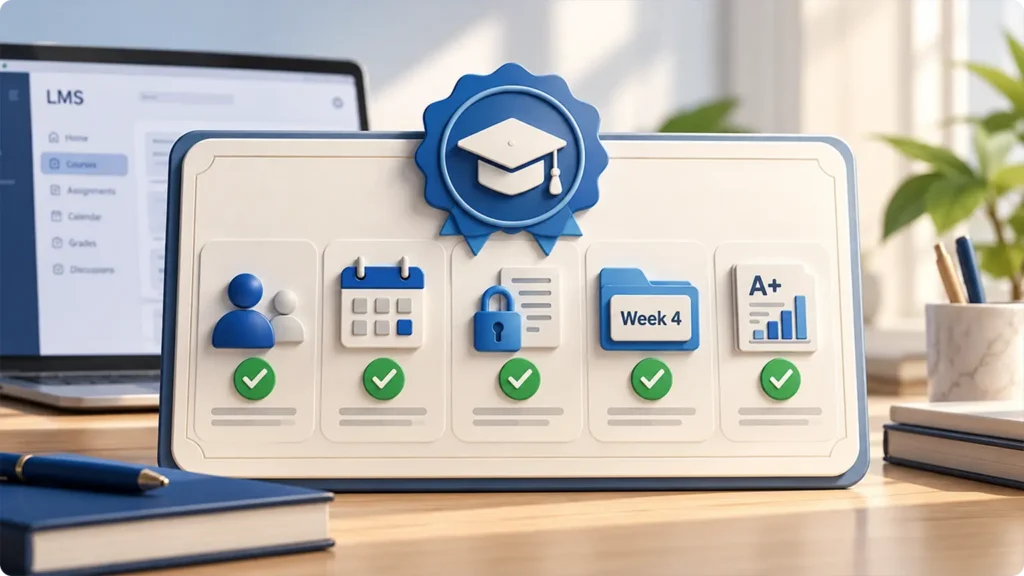
- It knows roles. Students see hints. Teachers see drafting tools and reports. One screen, two different tools.
- It knows the calendar. Ask “what’s due?” and it reads the real course dates, not a guess.
- It respects quiz windows. When a live quiz opens, it goes quiet on quiz topics. A pasted chatbot has no way to know this.
- It stays inside the week. When a teacher places it in Week 4, it answers from Week 4 files first.
- It talks to the gradebook, carefully. It can post practice quiz scores, but only if the teacher allows it.
If a tool fails two or more of these, it’s a chatbot with a school logo.
What an AI Teaching Assistant in Your LMS Should Do
For Students
- Answer course questions, with a link to the exact slide or page.
- Give hints and guiding questions on graded work.
- Explain due dates, late rules, and where to find files.
- Make practice quizzes from this week’s reading.
For Teachers
- Draft quiz questions from uploaded lessons. Some teams call this an AI course content generator. Nothing goes live until the teacher approves it.
- Suggest feedback on drafts using the teacher’s own rubric. It works like an AI grading assistant, but the final grade stays human.
- Answer “when is it due?” so the teacher doesn’t have to, forty times.
- Show the top questions students asked this week. This tells teachers which lesson confused people, and it can grow into a full learning analytics dashboard.
Build the teacher side first. It sounds backward. It isn’t. When a teacher sees the tool save two hours a week, they switch on the student side themselves. Push students first, and one bad answer can get the tool banned by Friday.

Turn Your LMS Into a Smarter Learning Experience
Give students instant, personalized support while helping educators spend less time on repetitive tasks. We build custom AI teaching assistants that integrate with your LMS and deliver learning support around the clock.How to Build an LMS AI Teaching Assistant in 7 Steps
Step 1: Pick One Course and One Job
Don’t start with the whole campus. Pick one course and one job.
For example: “Answer Biology 101 reading questions. Hints only on homework.”
Then pick one number to improve, such as fewer “when is it due” emails or faster help after 10 PM. Write it down before any code.
Step 2: Connect It With LTI 1.3 and LTI Advantage
There are three ways to connect.
| Path | Best For | Watch Out For |
|---|---|---|
| LTI 1.3 Tool | EdTech Products Serving Many Schools and LMS Platforms | Needs Testing On Each LMS |
| Native Plugin, Such As For Moodle | One School, One LMS, Deep Custom Changes | You Rebuild It For Every Other LMS |
| The LMS’s Own AI Features | Simple Jobs Like Summaries | Little Control Over Sources and Rules |
Moodle has its own option too. Moodle 4.5 added an AI subsystem that can connect open source or commercial language models through provider plugins. See the Moodle AI subsystem docs.
The Auspicious Soft pick: For most products, an LTI 1.3 integration wins. You build it once and launch it everywhere, so a Canvas LTI app and a Moodle setup share one core. Choose Moodle plugin development only for one school, one platform, and deep changes.
Here’s what makes LTI powerful for this job. LTI lets an LMS plug in outside tools in a standard way. LTI Advantage adds three services on top: rosters and roles, grade passback, and deep linking. Read the official guide on LTI 1.3 and LTI Advantage.
This is how each service maps to the assistant:
| LTI Advantage Service | In Plain Words | What The Assistant Does With It |
|---|---|---|
| Names and Role Provisioning | Who is in the class, and their role | Shows teacher tools only to teachers |
| Assignment and Grade Services | Sends scores to the gradebook | Posts practice quiz scores, with teacher approval |
| Deep Linking | Teacher places a tool in a spot | Teacher drops the assistant into Week 4, scoped to Week 4 files |
These three services are what make the assistant truly LMS native.
Behind the scenes, clean API development services keep the LMS, the assistant, and the dashboard talking without breaking.
Step 3: Feed It the Course, Not the Internet
The assistant should answer only from approved files. This method is called RAG. Before it answers, it looks up the right part of your course files, then replies from that. Think of an open book test where the book is your syllabus.
Load these: the syllabus, slides, readings, rubrics, and past FAQs.
Keep these out: answer keys for open assignments, and other students’ work.
Tag every file by course, week, and who may see it. That tag is what lets Deep Linking scope the assistant to one week.
The method works. One Moodle plugin study grounded answers in teacher materials and reached faithfulness scores as high as 0.97. See a grounded AI tutoring system for Moodle. This step is your main shield against AI hallucination in education.
For the full breakdown of grounding, file prep, and search tuning, read the guide on curriculum grounded RAG. Most of the RAG implementation cost sits in cleaning messy PDFs and old slides, so budget for it. Auspicious Soft handles this as part of its LLM and RAG development work.
Step 4: Give It Only the Context It Needs
Pull in the course, the section, the user’s role, the current week, and upcoming due dates.
Stop there. Don’t load a full grade history to answer “when is the essay due?” Less data means less risk and lower cost.
Step 5: Write the Rules Before the Prompts
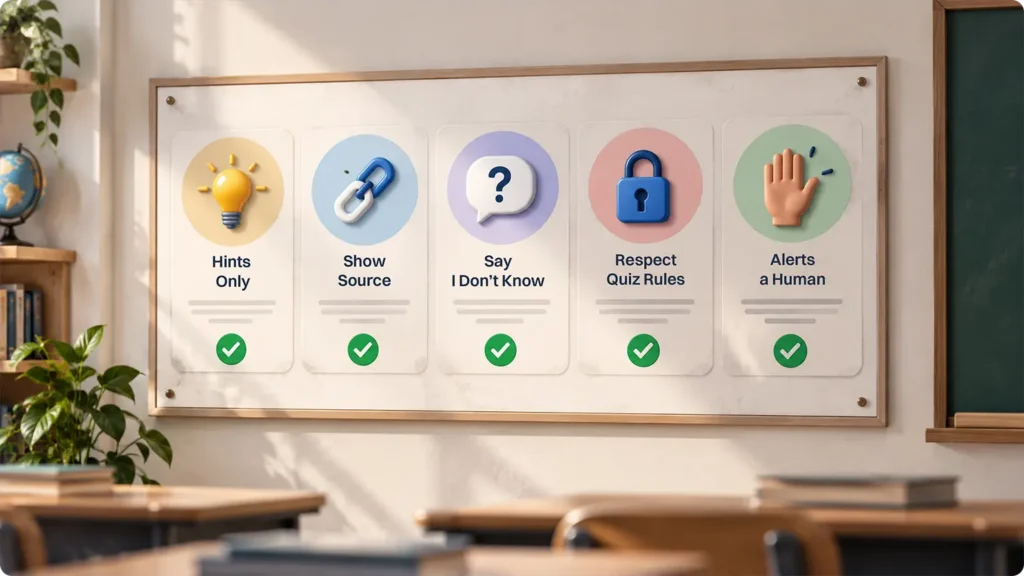
Rules come first. Prompts come second.
- Hints only on graded work. Never full answers.
- Always show the source. Link the slide or page.
- Say “I don’t know.” If the files don’t cover a question, say so and point the student to the teacher. Researchers building school tutors make this a hard rule: the tool should hold back when the course materials don’t support an answer.
- Lock during quizzes. Go quiet on quiz topics while the quiz is open.
- Alert a human. Send messages showing stress or self harm words to a real person, fast.
If the assistant will also act, like posting announcements or sending reminders, it becomes an agent. That calls for tighter limits, covered in AI agent development.
Step 6: Keep the Teacher in Control
Give teachers a simple dashboard where they can:
- Turn the assistant on or off for each course
- Upload or remove files
- Set the hint level (gentle, medium, or strict)
- Review flagged chats
- See the weekly “top questions” report
If a teacher can’t switch it off in two clicks, the design is wrong.
Step 7: Test With Messy Questions, Then Launch Small
Students don’t type like textbooks. Test with typos, slang, mixed languages, “just give me the answer bro,” and trick prompts that try to break the rules.
Run at least 100 real questions, then score them against this scorecard.
Pilot Scorecard (Suggested Targets Before Launch):
| What To Check | Target |
|---|---|
| Correct Answers That Show A Source | 90% Or More |
| Refused When It Should Have | 95% Or More |
| Refused When It Shouldn’t Have | Under 10% |
| Teacher Approval Of Drafted Quiz Questions | 70% Or More |
| Repeat “Due Date” Emails To The Teacher | Down By Half |
Launch to one section. Watch it for two weeks, fix what breaks, then grow. For real timelines by project type, see how long AI development takes.
| Layer | Job | Common Choices |
|---|---|---|
| LMS Link | Launch, sign in, roles, grades | LTI 1.3 and LTI Advantage |
| Language Model | Writes the answer | OpenAI, Anthropic Claude, Google Gemini, or a privately hosted open model like Llama |
| Search Layer | Finds the right course content | A vector database such as pgvector, Pinecone, or Weaviate |
| Backend | Rules, logs, routing | Python or Node.js |
| Teacher Dashboard | Settings and reports | React |
| Hosting | Runs it safely | AWS, Azure, or Google Cloud |
Keep the model swappable. Models change every few months, and your course data shouldn’t have to change with them. That vendor-neutral setup is the heart of good generative AI development.
Student Data Privacy: FERPA Rules for AI in the LMS
Under FERPA, a school can share records with an outside vendor as a “school official.” That only works when the vendor does work staff would otherwise do, stays under the school’s direct control over the records, and uses the data only for the reason it was shared. See the FERPA school official rules.
In practice, that means:
- Block the model provider from training on student chats.
- Sign data agreements before the pilot starts.
- Encrypt chats and set auto-delete dates.
- Log who viewed what, and when.
Building FERPA-compliant software is half design and half paperwork. Use the NIST AI Risk Management Framework as a risk checklist, and confirm the details with the school’s legal team.
Turn Your LMS Into a Smarter Learning Experience
Give students instant, personalized support while helping educators spend less time on repetitive tasks. We build custom AI teaching assistants that integrate with your LMS and deliver learning support around the clock.Cost to Build an AI Teaching Assistant for Your LMS
These are typical ranges from Auspicious Soft project scoping. Your final quote depends on scope.
| Stage | What You Get | Time | Typical Cost |
|---|---|---|---|
| Pilot | One Course, LTI 1.3 Tool, Course File Search, Core Rules | 6 To 10 weeks | $20,000 To $45,000 |
| Production | Many Courses, Teacher Dashboard, Grade Sync, Reports | 3 To 5 Months | $50,000 To $120,000 |
| Campus or Multi LMS | Many Schools and LMS Platforms, Admin Controls | 5 To 8 Months | $120,000 and Up |
Also plan a monthly budget for model usage and hosting. It grows with the number of active students. If you don’t have an LMS yet, custom LMS development cost is a separate line item.
Your First 30 Days: A Launch Checklist
Week 1:
- Pick the course, the job, and one success number.
- Sign data agreements.
Week 2:
- Clean and tag the course files.
- Set up the LTI 1.3 connection in a test LMS.
Week 3:
- Write the rules.
- Build the teacher dashboard.
- Run 100 messy test questions.
Week 4:
- Teachers test it first.
- Fix what fails the scorecard.
- Open it to one student section.
Mistakes That Sink LMS AI Assistants
- Launching campus-wide on day one. One course first.
- Answering from the open web. Course files only.
- No teacher off switch. Trust disappears fast.
- Ignoring an old LMS. Sometimes you need to modernize an old LMS before adding AI.
- Counting chats instead of results. Track fewer repeat emails and better quiz scores.
- Mixing two products. Lessons that change for each student make an adaptive learning platform. That’s a different build, so keep it out of version one.
Why Auspicious Soft For Your AI Teaching Assistant LMS Project
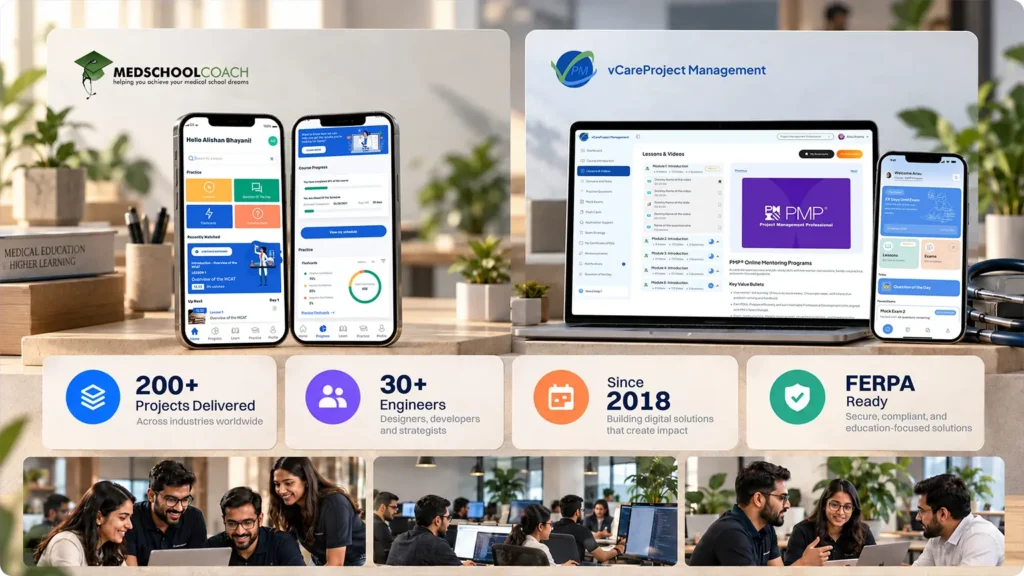
Auspicious Soft has built software since 2018. The team of 30+ engineers has delivered 200+ projects. FERPA sits on its standard compliance list next to HIPAA and GDPR.
Education work includes:
- MedSchoolCoach, a full platform for medical education
- The vCare exam prep app, with 10K+ practice questions and adaptive quizzes
From LMS builds to AI layers, the team offers full Education Software Development for schools and EdTech brands. It also offers end-to-end Software Development Service for custom platforms. You get a fixed price option, weekly updates, and 100% code ownership.
Final Word
The goal isn’t “AI in the LMS.” The goal is the student stuck at 11:48 PM getting the right hint, from the right course, under the teacher’s rules. Build for that moment. Start with one course. Let teachers lead. And make the assistant brave enough to say “I don’t know.”
Turn Your LMS Into a Smarter Learning Experience
Give students instant, personalized support while helping educators spend less time on repetitive tasks. We build custom AI teaching assistants that integrate with your LMS and deliver learning support around the clock.FAQs
Q: What is an AI teaching assistant in an LMS?
It’s an AI helper inside a learning platform like Moodle or Canvas. It answers course questions, gives hints, and saves teachers time, using only approved course files.
Q: What does “LMS native” mean?
It means the assistant knows things only the LMS knows: the user’s role, due dates, quiz windows, and the gradebook. A pasted chatbot knows none of these.
Q: Can I add an AI teaching assistant to Moodle or Canvas?
Yes. The best way is an LTI 1.3 tool, which works in Moodle, Canvas, Blackboard, and more. Moodle also supports AI through its own plugins.
Q: How is it different from ChatGPT?
ChatGPT answers from general knowledge. An LMS native assistant answers from your course files, shows sources, and follows teacher rules.
Q: Will students use it to cheat?
Not if it’s built well. It gives hints on graded work, goes quiet during quizzes, and shows sources instead of full answers.
Q: Is an AI teaching assistant FERPA safe?
It can be. Keep student data under school control, block model training on chats, sign data agreements, and log every access.
Q: How long does it take to build one?
A one course pilot takes 6 to 10 weeks. A full version across many courses takes 3 to 5 months.
Q: Do I need to train my own AI model?
Usually not. Most teams use an existing model and let it search course files. That’s faster, cheaper, and easier to update.
Q: Will it replace teachers?
No. It handles repeat questions and late night help. Teachers keep control of grades, rules, and real teaching.
Do not Miss Our Latest Tech Insights
Stay one step ahead in the fast-moving world of AI and technology. Add us as a Preferred Source on Google and get our latest articles, guides, and industry insights delivered straight to your search feed.